01
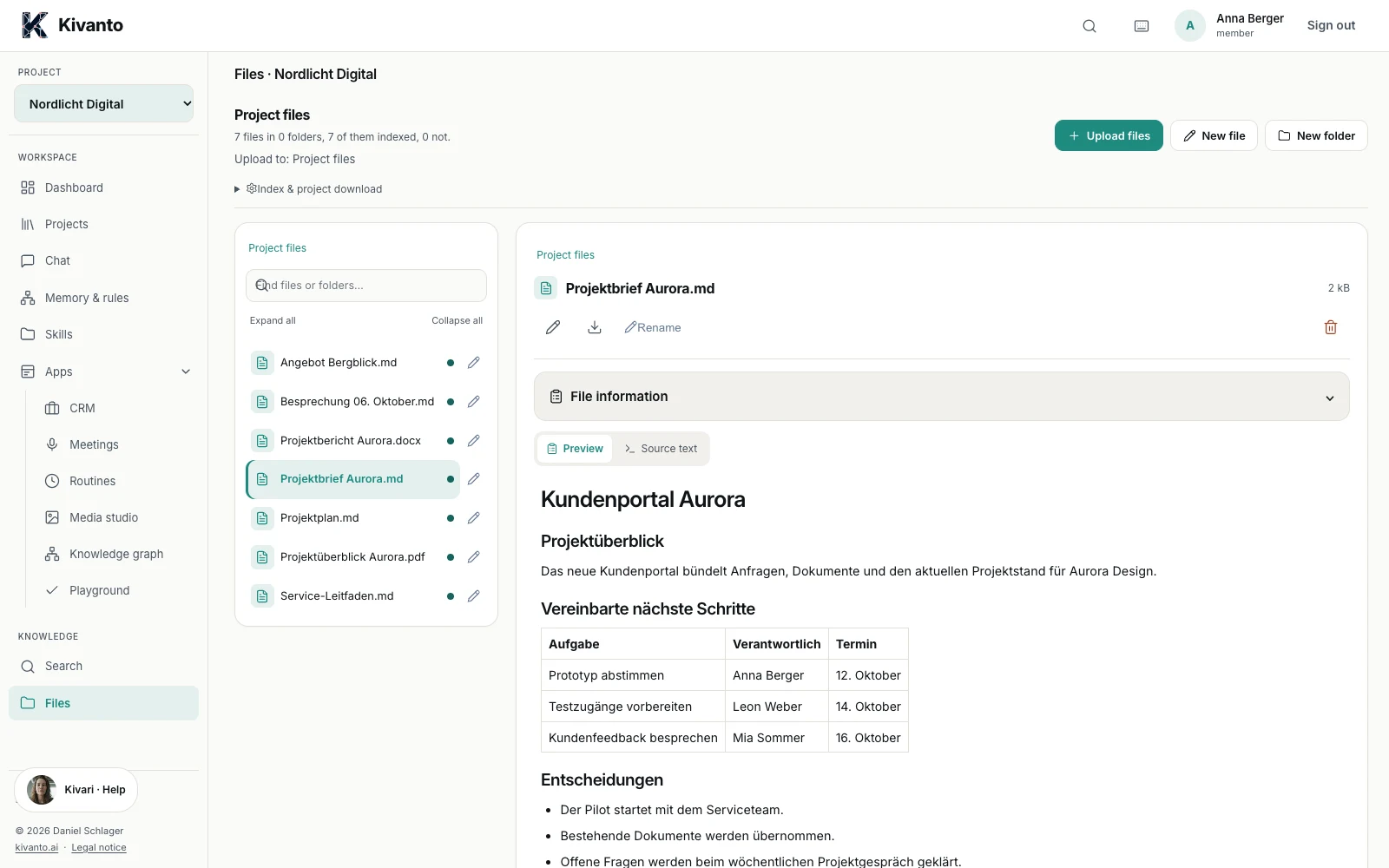
Find answers in your documents.
Ask about agreements, deadlines or project progress and check the answer against the original source.
Your European AI workspace.
Developed in Salzburg. Run on your infrastructure. Kivanto connects your company knowledge with AI and automates your workflows. You decide whether the AI runs on your computer or with an external provider.
For individuals and teams. Adaptable across industries.
Kivanto in everyday work
01
Ask about agreements, deadlines or project progress and check the answer against the original source.
02
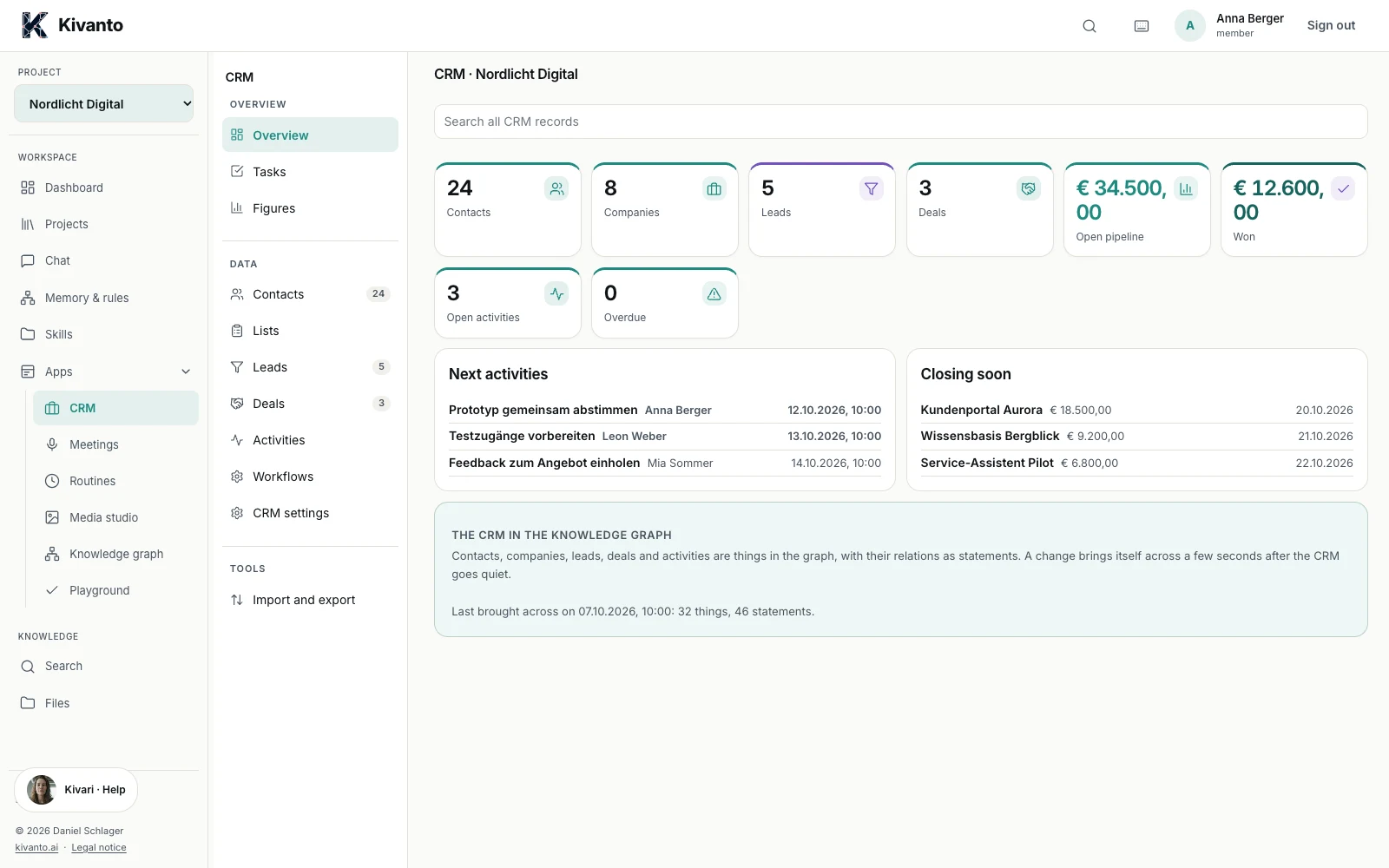
Bring together contacts, recent agreements and open tasks for your next conversation.
03
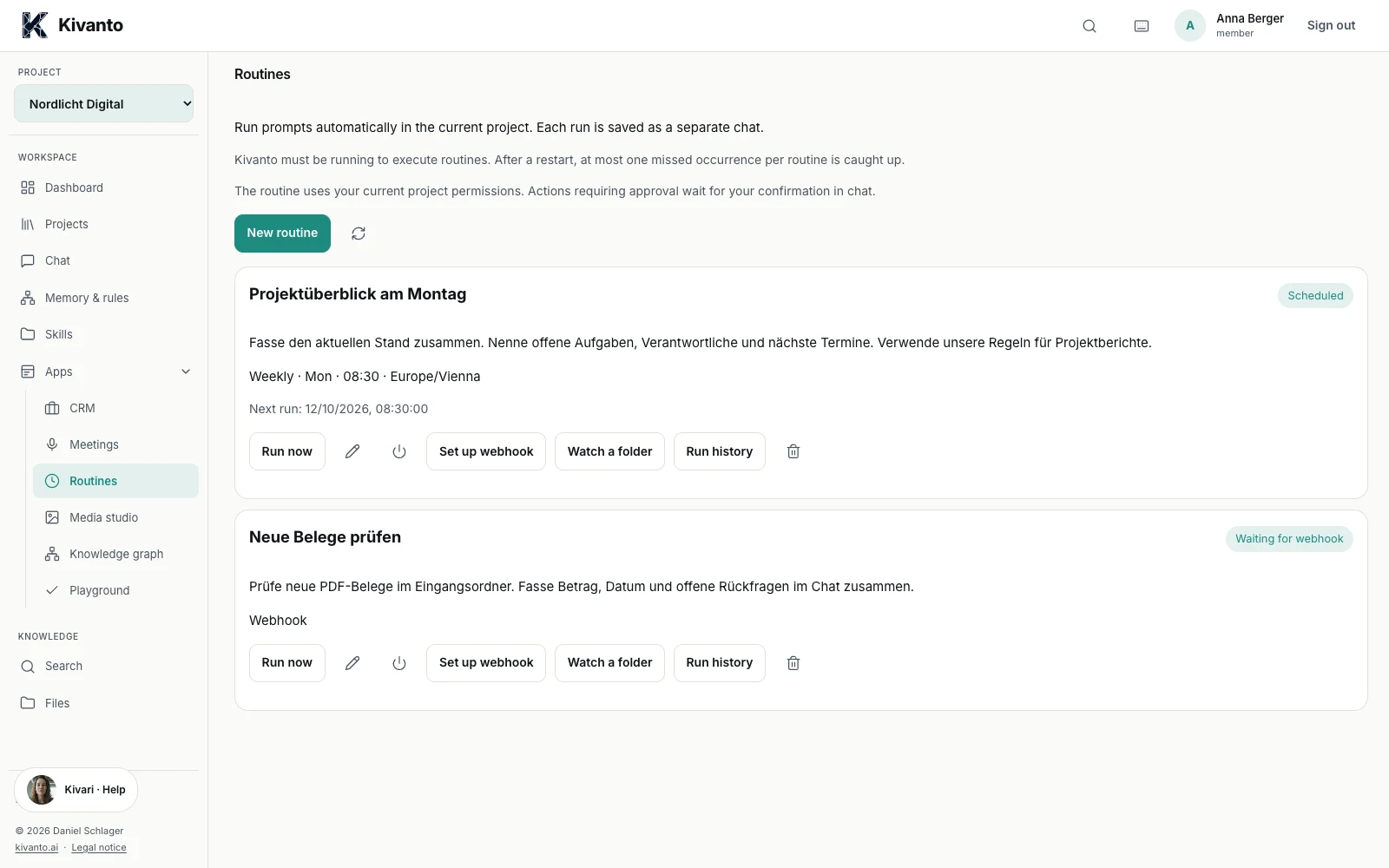
Have recurring project summaries or document reviews prepared using a defined workflow.
04
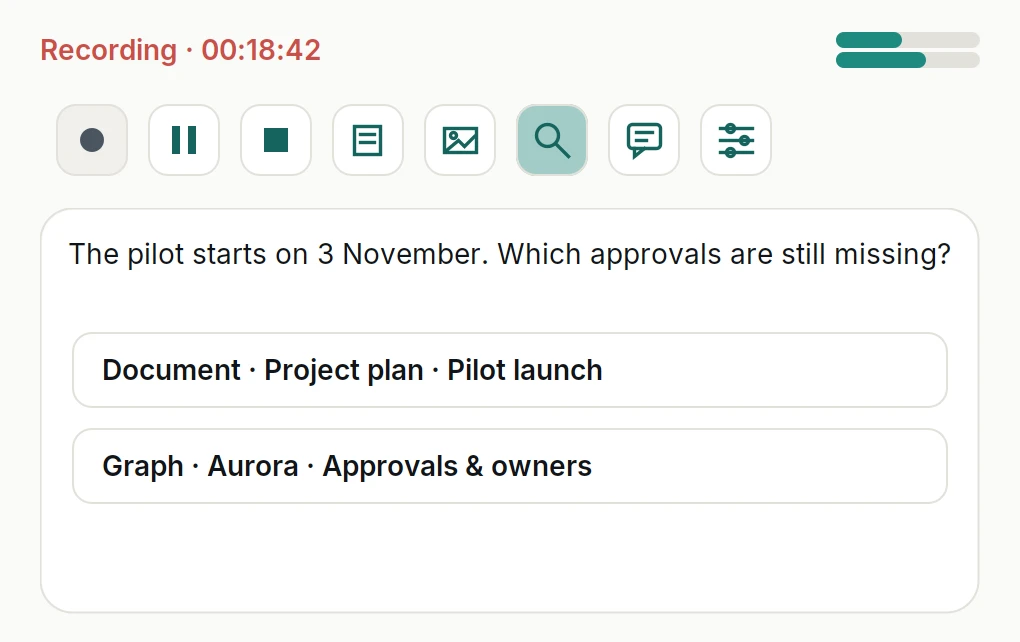
Capture conversations, find relevant documents during the meeting and ask your project questions directly in chat.
Explore the meeting module →Meeting module · Preview
The commitment from your last call, the pending approval, the relevant contract: Kivanto brings your project knowledge into the meeting. Automatic suggestions and your own AI chat sit right beside the recording.
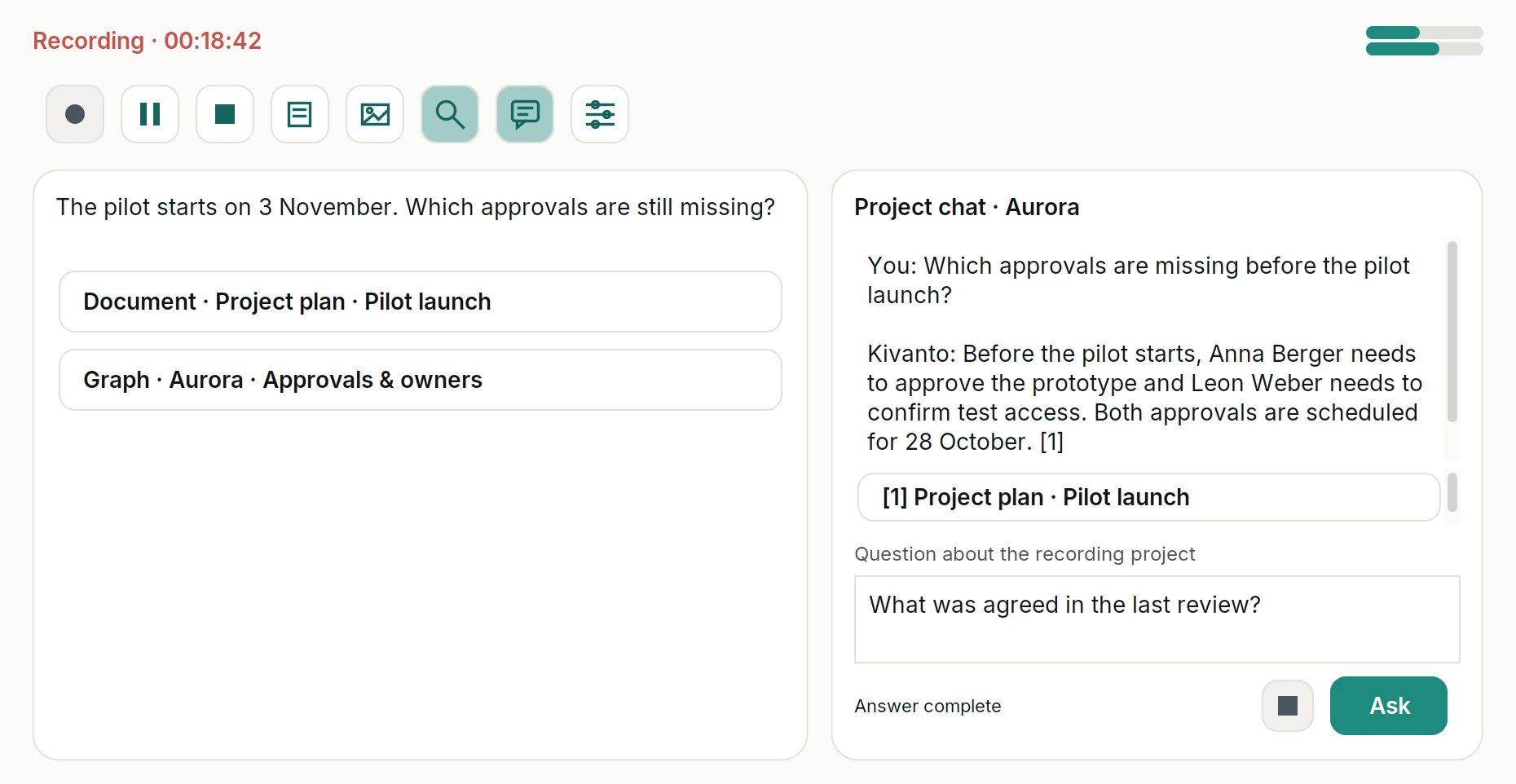
Record your microphone and meeting audio. Start, pause and stop directly from the desktop bar. Add notes and quick screenshots.
The live assistant searches documents and the knowledge graph for information relevant to the conversation. Turn it on or off for each meeting.
Ask your own questions in the project chat while the conversation continues. Open the sources behind an answer with one click.
Recordings, transcripts, notes and screenshots are organised in your project knowledge. The conversation stays available for the work that follows.
Local recording in the desktop app for macOS and Windows. Optional automatic start for native Teams and Zoom apps; start browser meetings manually. Transcription and chat use your configured models.
See the meeting moduleHow it works
An everyday project example: you are preparing for a customer conversation. The information is already in your documents.
“What needs to happen next for the customer portal?” Kivanto uses the project knowledge you have access to for your question.
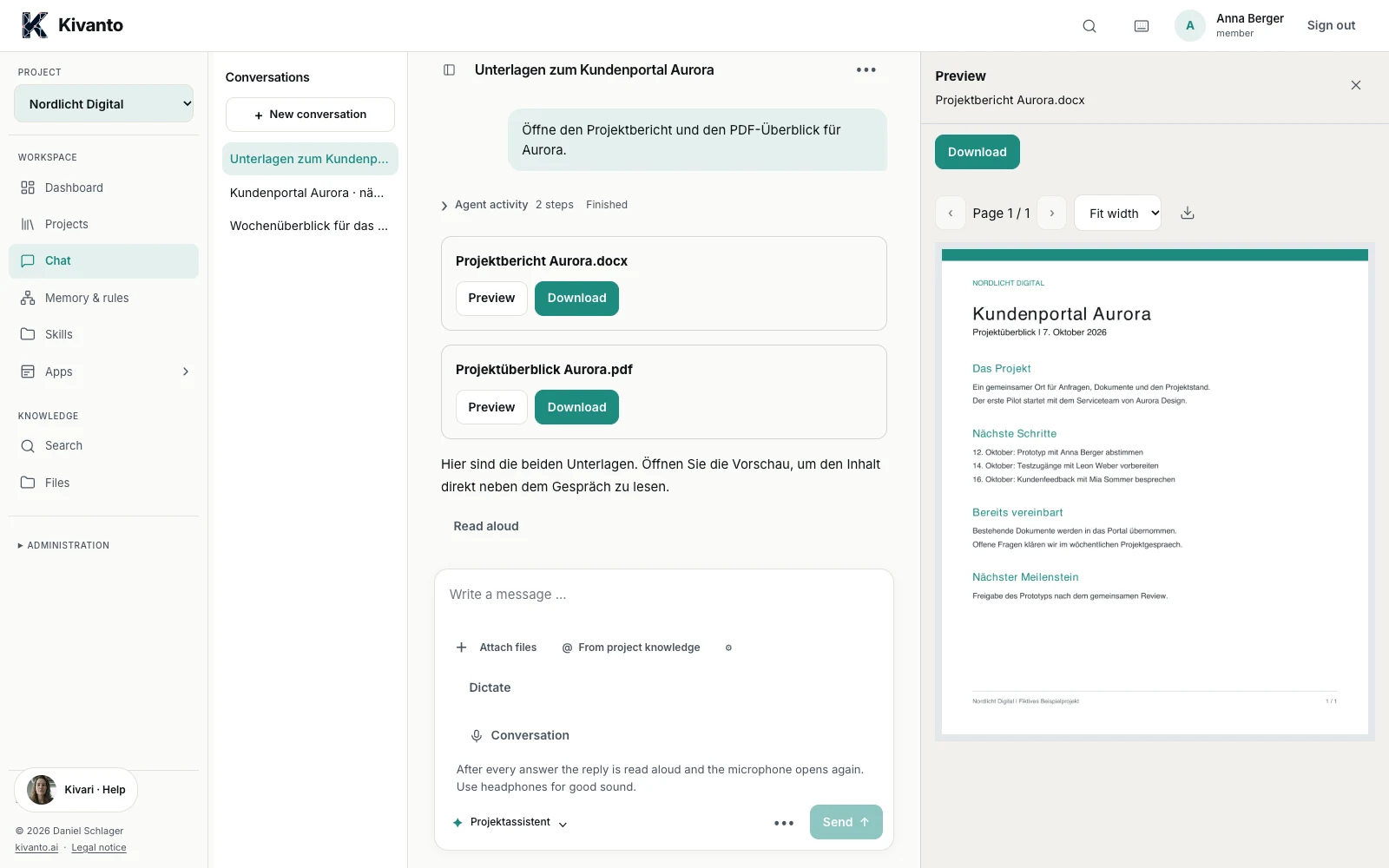
Open the source document right next to the conversation and check the context.
Use the answer to prepare for your conversation or have it turned into a draft for your next task.
Kivanto is developed in Salzburg. Daniel and Alexander personally support your rollout and everyday use.
Kivanto runs on your computer or company server. Projects, templates and routines adapt to your workflows.
Choose local models or supported external providers. Roles and project permissions control access to your knowledge.
External AI providers process the content needed for a request. Local AI processing requires locally configured models. Data processing details →


Kivanto Managed
Setup, monitoring, updates and backups with monthly support. Optionally with a dedicated LLM server in an EU data centre or on your infrastructure.
Scope and pricing by individual proposal.
01
Bring a specific task. We identify the knowledge and workflows that matter for it.
02
We agree on the licence, data sources and hosting. Setup follows the agreed scope.
03
Get to know Kivanto using your own documents and bring the relevant workflows into your daily work.
For company knowledge, document work and recurring workflows, Kivanto offers an alternative developed in Austria. You run the platform on your infrastructure and choose suitable AI models. Kivanto can also connect to existing AI tools. We identify the right use based on your specific tasks.
Kivanto works across industries. Projects, templates and workflows can be adapted to your tasks; the industries page shows practical examples.
Your own infrastructure and local models enable local AI processing. External AI providers receive the content needed for a request.
Yes. You can start with existing folders and supported documents. We will clarify which other systems can be connected and what access permissions you need.
Yes. Kivanto Solo is free for individuals and has a limited feature set. You can find licences for the full feature set and team use on the pricing page.